When I first tried to log into my TUT student portal, I remember how frustrating it was. I kept entering my password, thinking I had typed it wrong, but the account was actually locked. Like many new or returning students, I didn’t know how simple the solution really was. Once I understood the correct steps, unlocking the portal took less than five minutes.
This guide will help you avoid that stress and walk you through exactly how to unlock your TUT student portal quickly, safely, and without confusion.
Why Your TUT Student Portal Gets Locked
Your portal may lock due to:
- Too many incorrect login attempts
- Password expiry
- Using old login credentials
- System security triggers
The good news? You can unlock it yourself instantly.
How to Unlock Your TUT Student Portal (Step-by-Step)
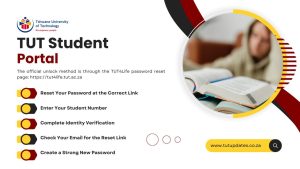
Step 1: Reset Your Password at the Correct Link
The official unlock method is through the TUT4Life password reset page: https://tut4life.tut.ac.za
The system automatically unlocks your account when you reset your password here.
Step 2: Enter Your Student Number
Your student number is your username. Enter it carefully even a single wrong digit will block the reset process.
Step 3: Complete Identity Verification
TUT may ask for:
- Date of birth
- ID/passport number
- Registered email (TUT4Life email or personal email)
This step ensures your account stays secure.
Step 4: Check Your Email for the Reset Link
You’ll receive an email with a secure link to create a new password.
If it doesn’t appear:
- Check spam/junk folder
- Wait 2–3 minutes
- Search “TUT password reset”
Step 5: Create a Strong New Password
Use a combination of:
- Uppercase letters
- Lowercase letters
- Numbers
- Symbols
Avoid old passwords TUT systems reject previously used ones.
Step 6: Log in Again
Go back to the TUT student portal and enter:
- Your student number
- Your new password
Your account should now unlock instantly.
If the Account Still Doesn’t Unlock
Try the following:
- Clear browser cache
- Use a different browser (Chrome/Edge work best)
- Try logging in after 10 minutes
- Ensure CAPS LOCK is off
If nothing works, contact:
TUT ICT Support: +27 (0)12 382 4427
FAQs About Unlocking TUT Student Portal
1. Why is my TUT portal account locked?
Because of multiple wrong password attempts or password expiry.
2. What is the official link to unlock TUT portal?
Use https://tut4life.tut.ac.za for password reset and unlocking.
3. How long does it take to unlock my student portal?
Usually 1–3 minutes after resetting your password.
4. I didn’t receive the reset email. What should I do?
Check spam, try again, or confirm your registered email.
5. Can TUT support unlock my account manually?
Yes — ICT Support can unlock it if self-service doesn’t work.
Conclusion
When I finally unlocked my TUT portal for the first time, I realized the process wasn’t difficult. I just didn’t have the right steps. Most students panic when their account gets locked, but honestly, a quick password reset at the TUT4Life page solves the issue almost every time.
If you follow the guide above, you’ll avoid the same confusion I went through and get back into your portal smoothly. And remember, if something doesn’t work, it’s usually a simple mistake, not a big problem. TUT support is always there to help, so don’t stress — you’ve got this.














 TUT Blog1 month ago